Rocktier Pic2WebP
WebP, without the web.
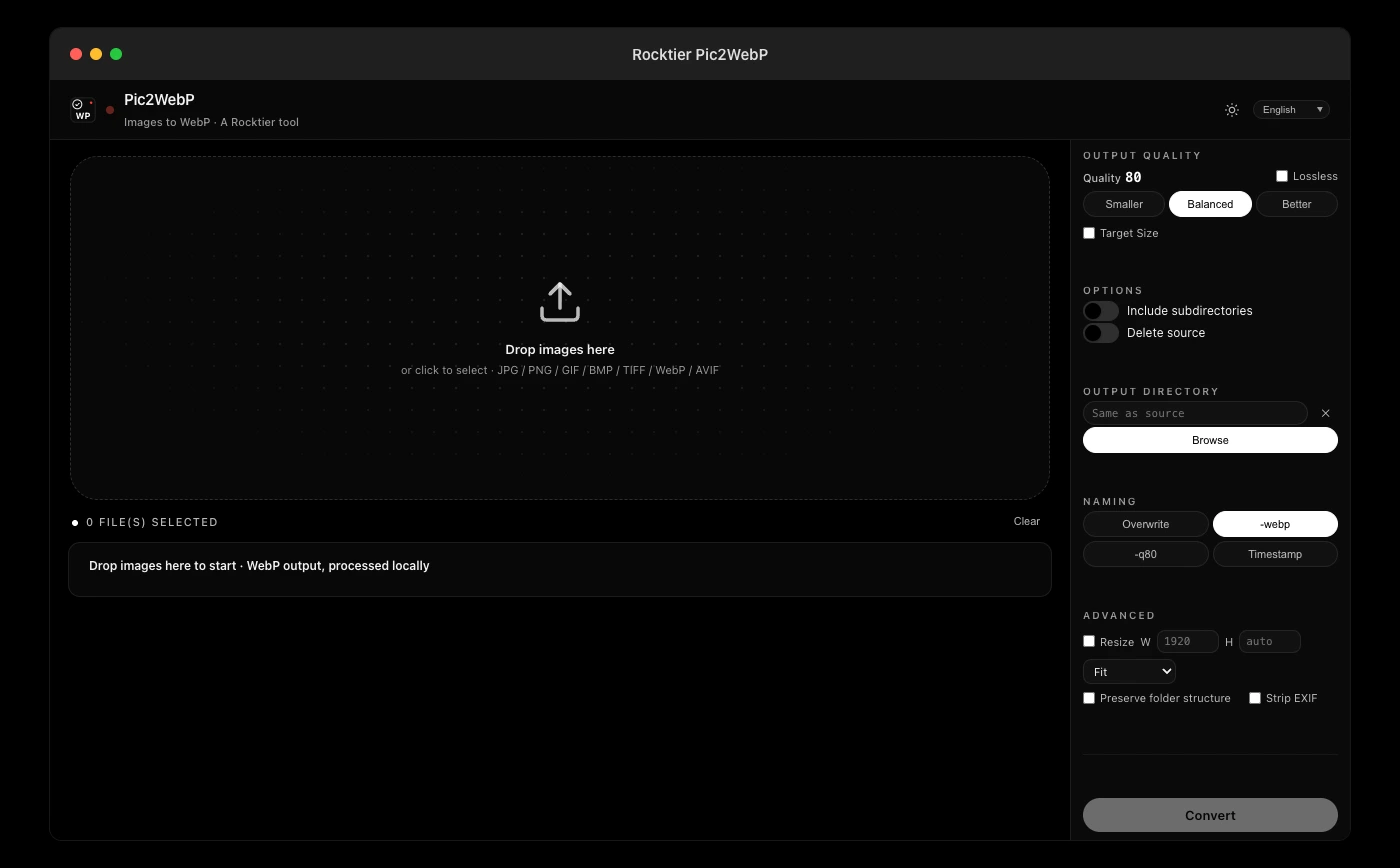
Rocktier Pic2WebP turns JPGs, PNGs and more into WebP on Windows and macOS - smaller files at the same quality, batch it, and never upload a single image. $4.99 once, no subscription.
| Price | $4.99 one-time |
|---|---|
| Platforms | Windows & macOS |
| Trial | 7 days, full features |
| Offline | 100% - files never leave your device |
| License | One-time purchase, lifetime updates |
Download
Get Rocktier Pic2WebP for your platform.
Direct download. No account, no tracking.
One-time $4.99 per app, or $29.99 for the whole family. No subscription.
Features
Smaller files, same eyes.
Batch conversion
Drop in a folder and it walks the subfolders too. One pass converts the lot and reports how much smaller the set became.
Quality you control
One slider from 10 to 100. For photographs, 75 to 85 is the sweet spot. A long run can be cancelled partway.
Stays on your device
No upload, no account, no cloud queue. Your pictures never leave your machine.
Any source, modern output
JPG, PNG and AVIF go in, clean WebP comes out. A file that fails can be retried on its own instead of restarting the batch.
Pricing
Pay once. Keep it forever.
No subscription, no account, nothing to renew.
Private by design
An offline WebP converter, so your photos never leave your device.
Converter websites make you upload every photo to a server farm before it becomes WebP. Pic2WebP is an offline WebP converter: drag in a folder of images and the conversion happens on your own machine, with the network disconnected.
Where that matters:
- Personal photo libraries. Years of family photos should not pass through a stranger's queue to save a few megabytes.
- Client and product imagery covered by NDAs or launch embargoes, convert before anything is public.
- Bulk website optimization. Recursively convert whole folder trees to WebP locally, with quality presets and a target-size mode, then upload the results straight to your host.
- Slow or metered connections. Uploading gigabytes to "save bandwidth" defeats the point; local conversion costs nothing.
WebP is supported by every modern browser and most image tools, cutting image weight by 25-50% at the same visual quality, and converting locally is the fastest, most private way to get there.
Available for macOS and Windows. One-time purchase, updates included.
FAQ
Questions, answered.
What formats can I convert?
JPG, PNG, GIF and more. The output is always WebP, which is supported by every modern browser and most image tools.
Do you upload my images?
Never. Conversion happens entirely on your device. The app works fully offline.
Is it a subscription?
No. One-time purchase of $4.99, updates included, nothing to renew.
Can I convert back to PNG?
The app is deliberately one-directional: the point is a web-ready format. Keep your originals; conversion creates new files and never overwrites the source.
The family
Five more tools, same promise.
Rocktier PDF
Read, search, merge, sign, encrypt and compress PDFs, offline.
Rocktier Markdown
Clean, portable writing that exports anywhere.
Rocktier CAD Viewer
Open DWG and DXF files in seconds, with no AutoCAD.
Rocktier OCR
Make scanned PDFs and images searchable, on your own machine.
Rocktier Write
Distraction-free long-form writing, fully offline.