Rocktier PDF
Your PDF never leaves your machine.
Merge, split, redact, compress, fill forms and sign PDFs offline on Windows and macOS - then export the result to Markdown. No upload, no account, no tracking.
Features
Everything a PDF needs. Nothing it doesn't.
Rearrange pages
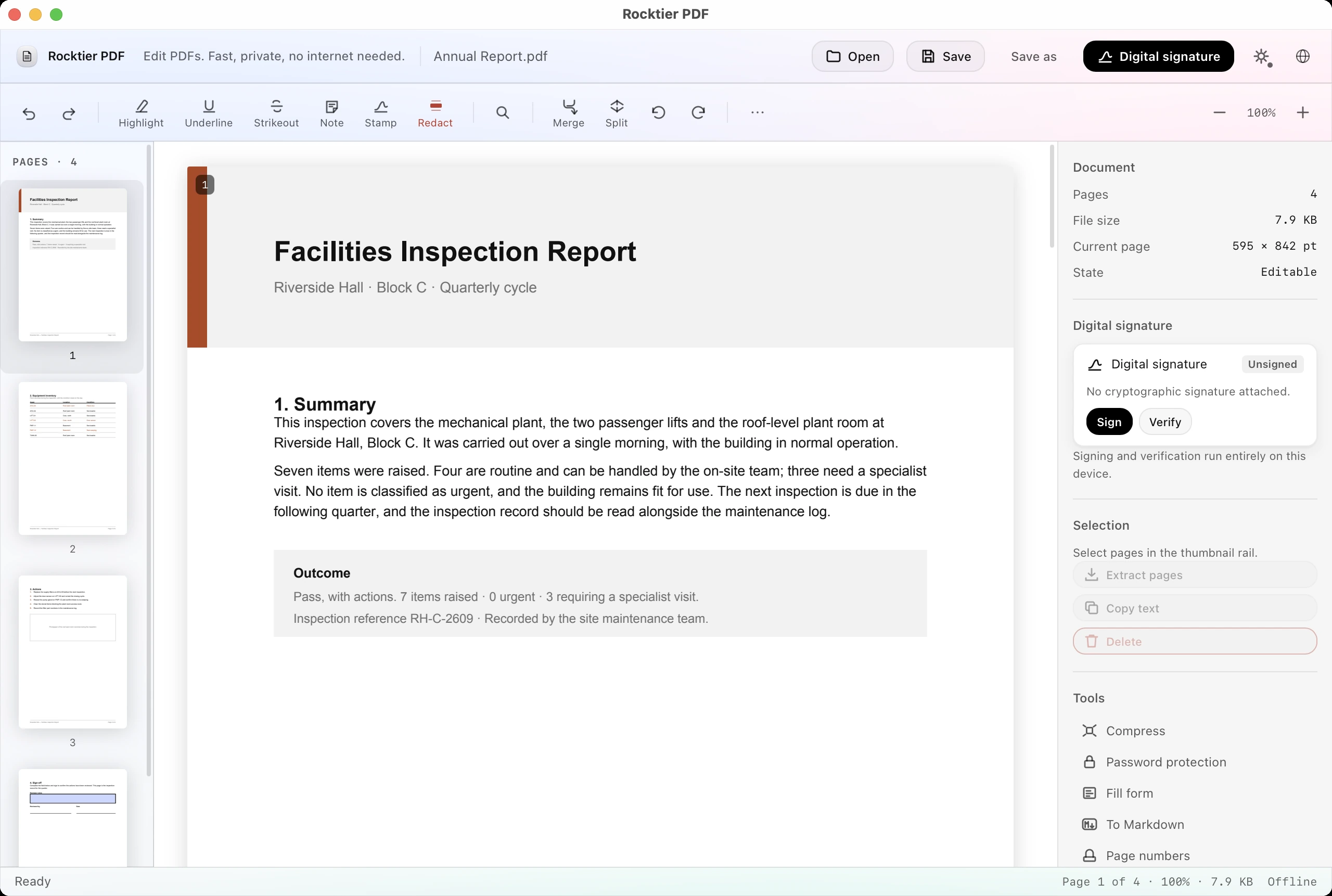
Merge and split documents, rotate either way, delete or extract pages, and undo any of it.
Export to Markdown
Turn a PDF into structured Markdown locally - headings, lists and paragraphs recovered on your machine.
Redact for real
Black out sensitive text permanently, not just cover it with a shape that copy-paste can undo.
Stamp and fill
Add page numbers and a visual stamp, or fill an existing form's fields without printing and scanning.
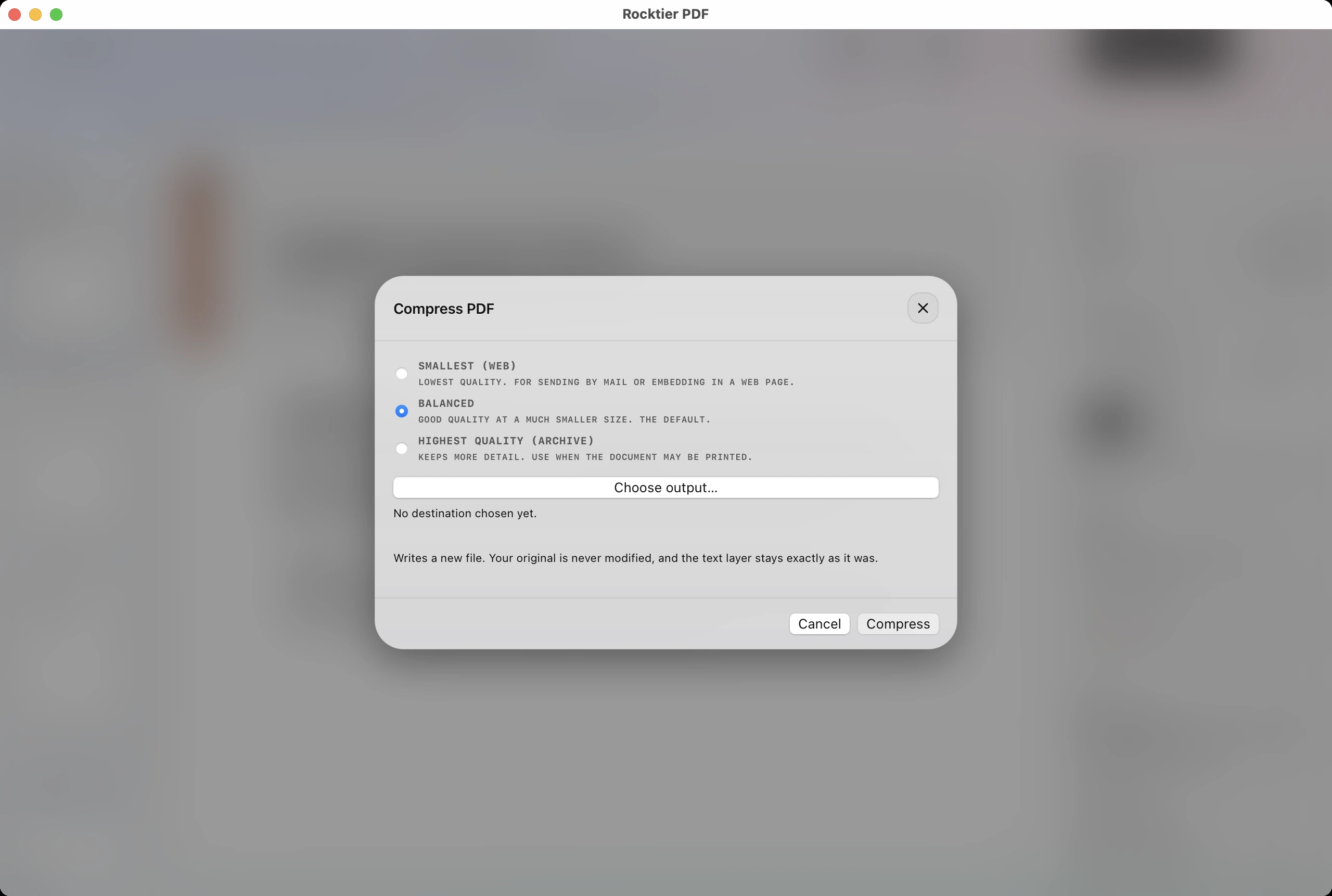
Compress
Shrink image-heavy files to a shareable size while keeping the pages readable.
Protect
Encrypt with a password, or strip it again when you need to.
Digitally sign
Sign PDFs with PKCS#7 certificates you manage yourself, and verify the signatures on anything you receive. The private key stays in secure system storage on your machine, and signing ships with the app: no second product, no extra fee.

Download
Get Rocktier PDF for your platform.
Direct download. No account, no tracking, no telemetry.
7-day free trial - no card needed. Intel Macs: pick the Intel (x86_64) download in this section.
Pricing
Pay once. Keep it forever.
No subscription, no account, nothing to renew.
Questions
Does it upload my file?
No. Everything happens on your machine - that is the point of the app. This page loads nothing but static files, and the editor never opens a network connection.
Is it a subscription?
No. $9.99 once. There is no account to create and nothing to renew.
How does the Markdown export handle tables?
Version 1 detects table-like regions and tells you where they are, but keeps their contents as plain text rather than guessing the column structure - a wrong table is worse than honest text.
Does it work on Intel Macs?
The macOS build is Apple Silicon. On an Intel Mac, use the Intel (x86_64) download on this page; it links to the latest x64 DMG from the release page.
The family
Seven more tools, same promise.
Rocktier Markdown
A clean Markdown editor that exports anywhere.
Rocktier Pic2WebP
Convert images to WebP locally.
Rocktier CAD Viewer
Open DWG files without installing anything.
Rocktier OCR
Make scanned PDFs searchable.
Rocktier Write
A rich-text editor for long documents.
Rocktier Journal
A private journal that stays on your device.
Rocktier Compressor
Shrink large PDFs for sharing.